Harucom Bundle with acrylic panels
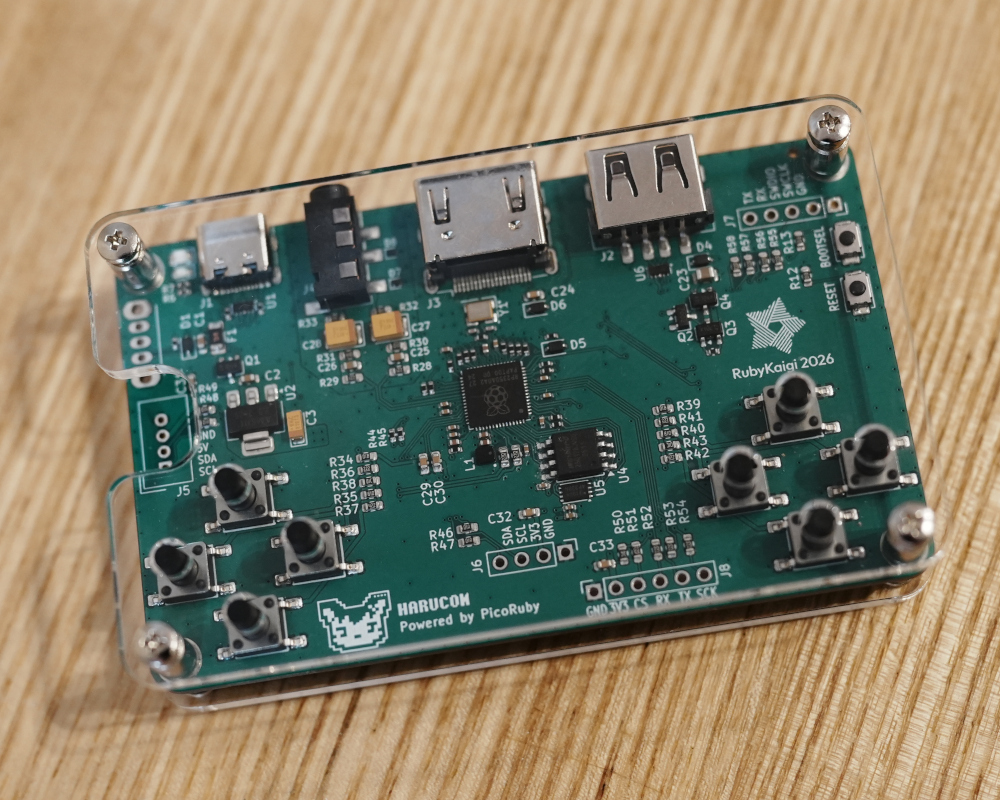
Harucom Bundle with acrylic panels is a kit that combines the Harucom Board with acrylic panels and the screws and spacers to mount them. Just screw it together and you are ready to go.
What’s in the Box
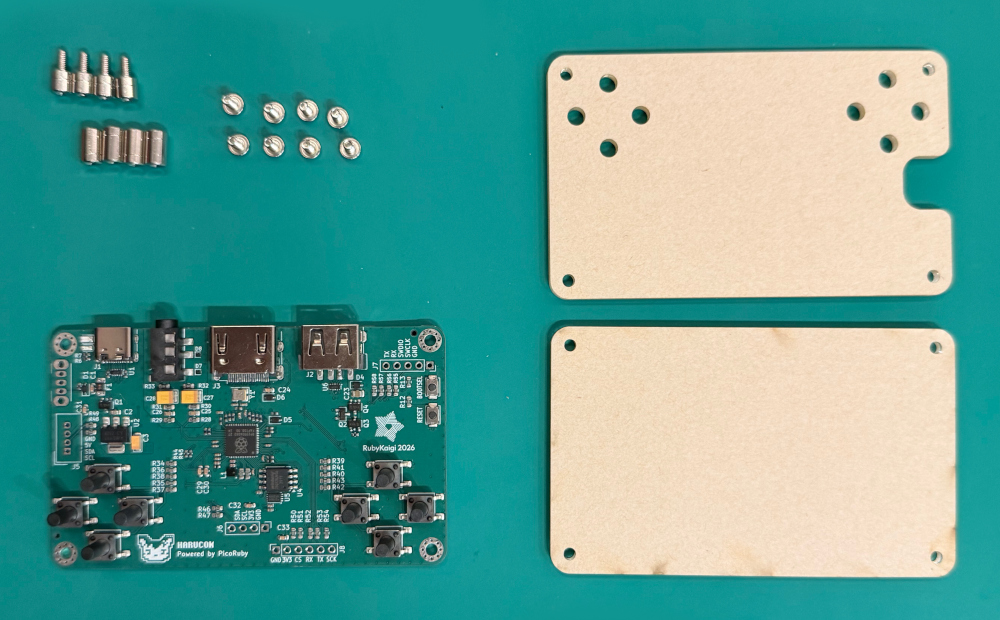
When you open the box, make sure that all of the following items are included.
| Part | Quantity |
|---|---|
| Harucom Board | 1 |
| Acrylic panel (top) | 1 |
| Acrylic panel (bottom) | 1 |
| M2.5 screw | 8 |
| M2.5 spacer (8mm) | 4 |
| M2.5 threaded spacer (5mm) | 4 |
Assembly
-
Attach the spacers and threaded spacers to the Harucom Board.
Do not overtighten the screws. Overtightening can crack the board or the acrylic panels.
-
Peel off the protective film from the acrylic panels.
If the film is hard to peel off, stick a piece of regular tape or masking tape onto the film and pull — it will come off cleanly.
-
Attach the bottom acrylic panel with screws from the underside of the board.
-
Attach the top acrylic panel with screws from the top side of the board. Make sure the buttons fit correctly through the holes.
Power Switch and Grove Connectors (Optional)
The Harucom Board has footprints for an optional power switch and Grove connectors. You can buy these parts separately and solder them on to enable these features.
The parts are available at Akizuki Denshi:
Usage
Once assembly is complete, follow the Getting Started guide to boot up your Harucom.
Updating the Firmware
You can update the Harucom firmware straight from your browser on the Upgrade Harucom OS page. Use Chrome or Edge.
If your browser is not supported, download the UF2 file and write it yourself. Each file is written a different way, so see “Writing without a browser” on the same page.